002 - Every Network Has a Design
We've discussed in previous learning journal that a network is simply a group of devices connected together so they can communicate. If devices can communicate with each other, how are they actually connected?
Today's lesson introduced me to the idea of Local Area Networks (LANs) and something called **network topology. By the end of the lesson, I realized that building a network isn't just about connecting cables but it's also about making design decisions.
What is a LAN?
A Local Area Network (LAN), or simply a LAN, is a network that connects devices within a limited geographical area. That could be our home, a classroom, an office, or even an entire university campus.
A topology is simply the layout or design of a network. It describes how devices are connected to one another and how they communicate.
I've encountered some types of LAN Topology:
1. Star Topology
Devices in the Star topology are individually connected through a central networking device such as a switch or hub as we can see in the diagram below:
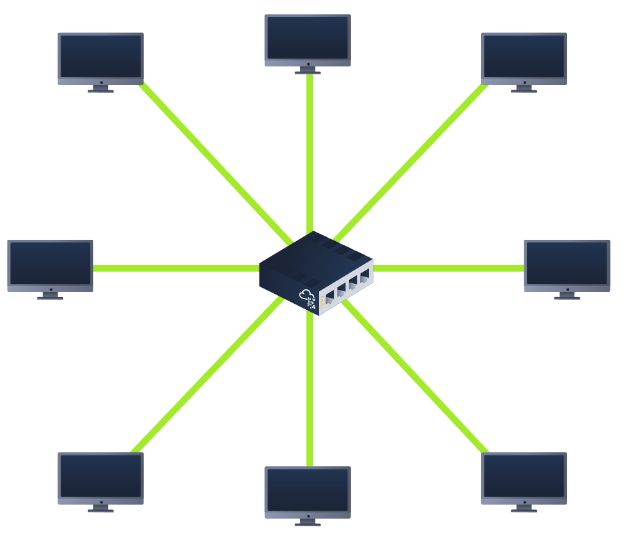
Any information sent to a device in this topology is sent via the central device to which it connects.
One of its disadvantages is that its costly because more cabling are needed to build this topology. However, this is scalable as it is very easy to add more devices as the demand for the network increases.
Unfortunately, adding more devices, the more maintenance is required to keep this functional, making the faults hard to troubleshoot. Also, this topology is prone to failure but can be reduced. If the centralized hardware where devices connected to fails, these devices will no longer be able to send or receive data that's why these centralized hardware must be made to be robust.
2. Bus Topology
As we can see in the diagram below, this type of design has a backbone cable similar to the leaf of a tree where devices are the leaves that stem from where branches are on this cable.
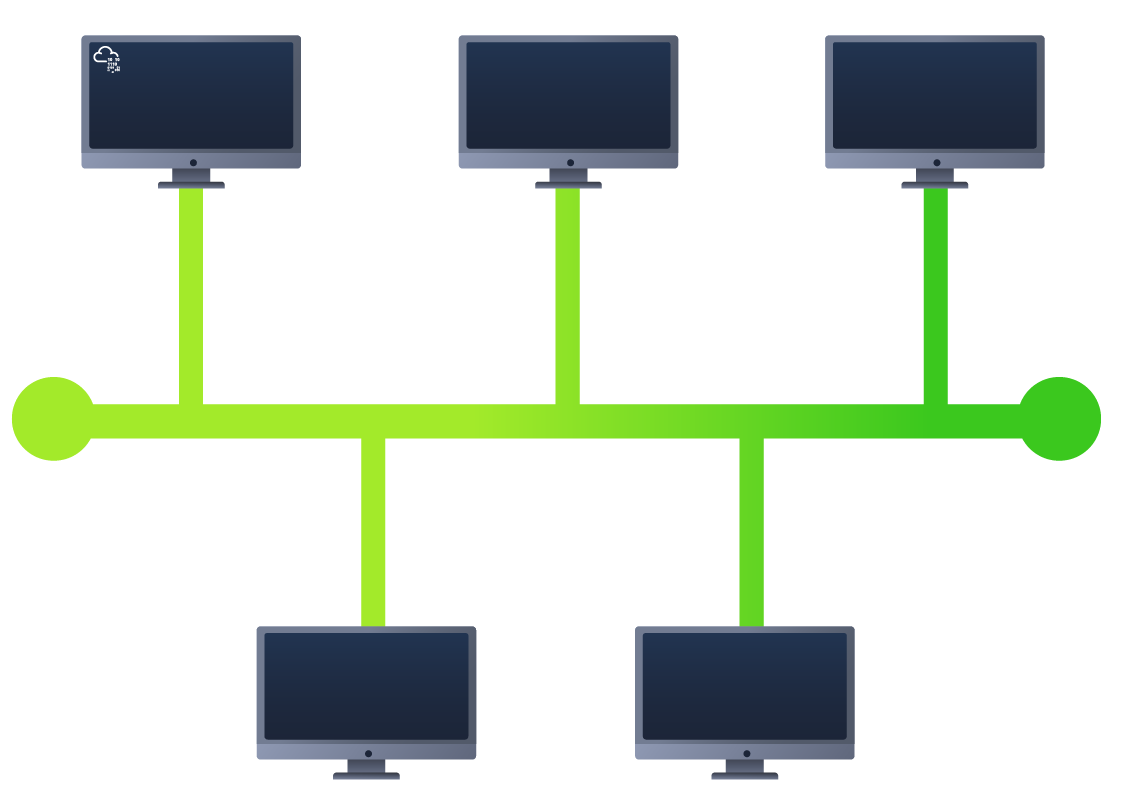
Since devices have the same cable destined to each other, it is prone to becoming slow and bottlenecks if devices within this topology are simultaneously requesting data. This results to a very difficult troubleshooting because its hard to identify which device is causing or experiencing issues with the data is travelling along the same route.
With that in mind, this topology makes it one of the easier to set up and most cost-efficient topologies because devices uses the same cables.
However, another disadvantage of this topology is the redundancy in place in case of failures because there is only a single point of failure along its backbone cable so if this cable breaks, devices can no longer receive or transmit data along the bus.
3. Ring Topology
This is also known as Token Topology because of its structure as we can see in the diagram below:
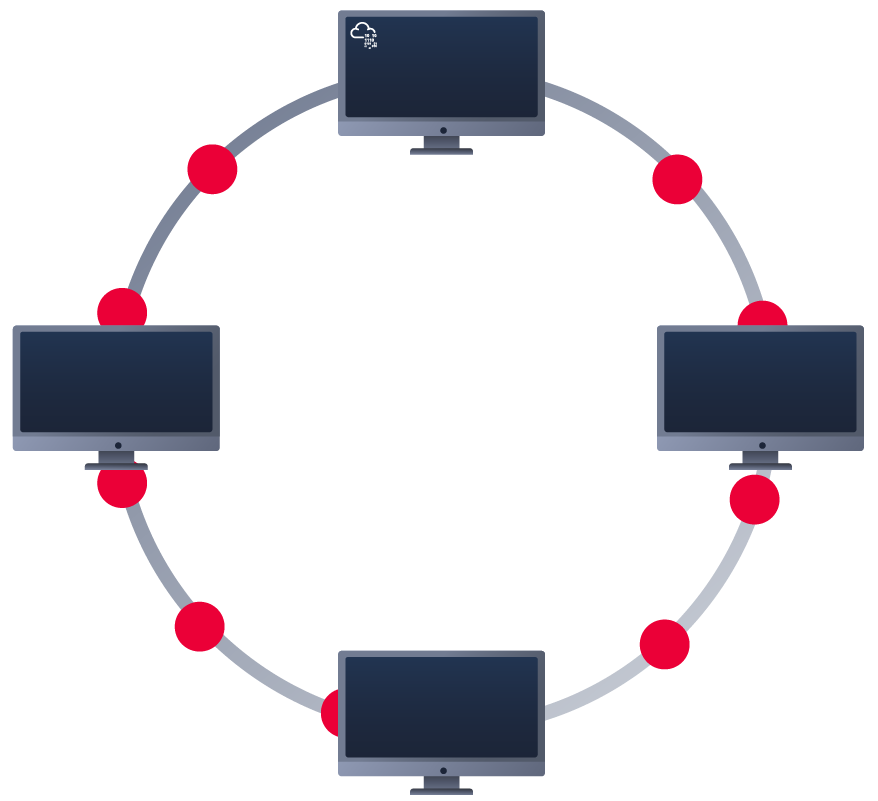
Devices in this topology are connected to each other to form a loop in a circle so there will less cabling required to set up and less dependence on dedicated centralized hardware unlike to the star topology.
A ring topology works by sending data across the loop until the device where it sends to receives the data, using other devices along the loop to forward the data. Interestingly, a device will only send the data it receive if it doesn't have any data to send so if that device have own data to send, it will send it first before it send the following data it receive from another device.
Since there is only one direction in this topology, it is easier to troubleshoot if any failure arise. But this is double-edge sword because having only one direction for the data to travel is not an efficient way to travel as it may have to visit multiple devices first before reaching the intended device.
Also imagine if one device breaks, or a cable is cut, or have a broken device, it will result in entire networking breaking but it comes more in handy in less prone than bus topology as large amount of traffic does not travel across the network at any one time.
Conclusion
I assumed networking was mostly about connecting devices together. Now I realize it's more about choosing the right design. Different environments have different needs. Some prioritize cost, others prioritize reliability, while others need something that's easy to expand as more devices are added.
Next Rabbit Hole
If all of these devices are connected together, how does data know exactly where to go? I keep seeing the terms switch and router, and I feel like understanding those two devices is the next piece of the puzzle.
That's what we'll be exploring next: 003 - The Devices That Keep Networks Running
Reference: