004 - How to Split Large Networks
In the last learning journal, I learned that a Router connects different networks together while a Switch helps devices communicate within the same network.
Now, if a company has hundreds or even thousands of devices, do they all belong to one giant network?
Today's lesson introduced me to a concept called Subnetting, and I realized that large networks are rarely kept as one huge network. Instead, they're divided into smaller ones.
Subnetting in a Piece of Cake
Imagine there's only one cake, but several groups of people want a piece of it. Instead of letting everyone grab from the same place, you divide it into smaller slices so each group has its own portion.
That's basically what subnetting does. Instead of keeping one large network, it splits that network into several smaller ones.
This analogy helped me think about subnetting as organization, not just another networking term.
Importance of Subnetting
Imagine a company with different departments:
- Accounting
- Finance
- Human Resources
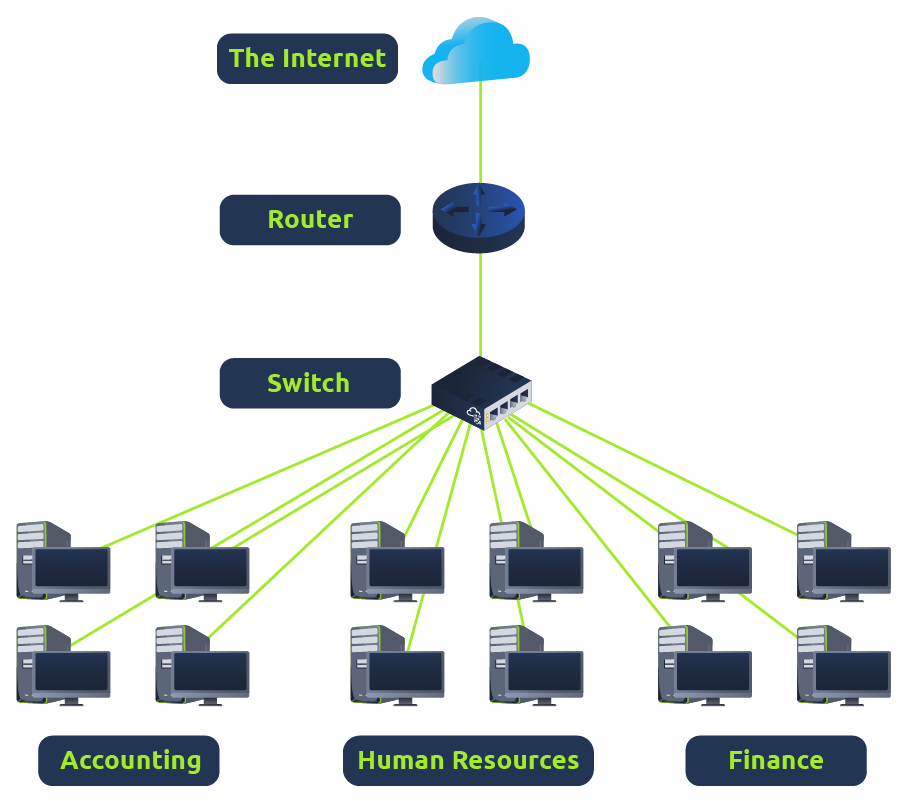
In real life, you already know which department a document belongs to. Networks have a similar problem.
If every computer, printer, camera, and employee device belonged to one giant network, things could quickly become messy.
Instead, network administrators divide the network into smaller sections so that related devices stay together.
That was the moment I realized subnetting isn't just about IP addresses. It's really about keeping a network organized.
Subnet Mask
Understanding why subnetting exists, I came across to its Subnet Mask.
At first glance, it looked almost identical to an IP Address.
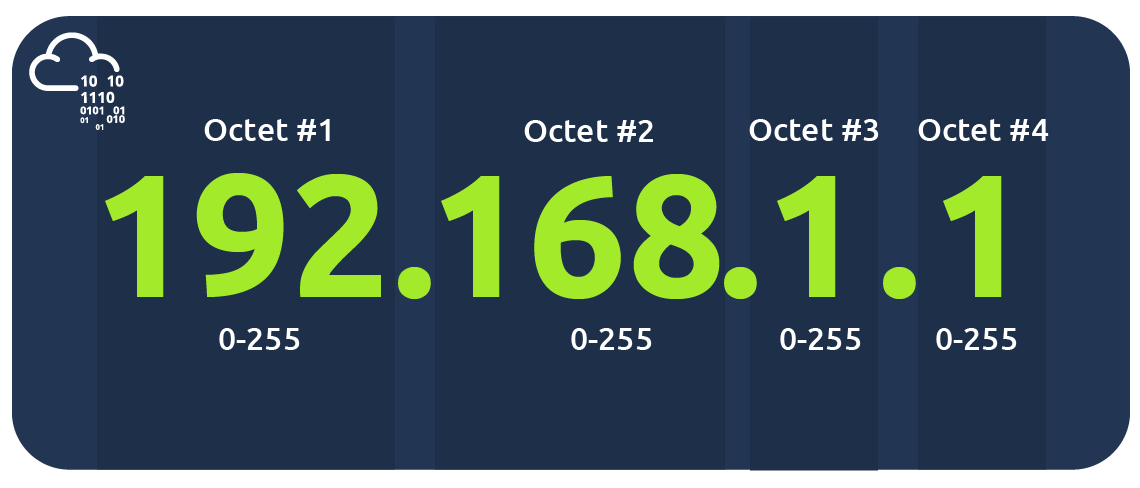
Like an IP address, it's made up of four octets and contains values between 0 and 255. I'm not going to pretend I fully understand how subnet masks work yet. But for now, I only know that they're what allow a network to be divided into smaller subnetworks.
The calculations can wait until we study subnetting in more depth. Right now, let's focus on understanding the bigger picture.
Subnets use IP Addresses in identifying three addresses:
| Type | Purpose | Explanation | Example |
|---|---|---|---|
| Network Address | Identifies the network itself. | For example, a device with the IP address of 192.168.1.100 will be on the network identified by 192.168.1.0 | 192.168.1.0 |
| Host Address | Identifies a specific device inside that network. | For example, a device will have the network address of 192.168.1.1 | 192.168.1.100 |
| Default Gateway | The device that forwards traffic to other networks. | Any data that needs to go to a device that isn't on the same network (i.e. isn't on 192.168.1.0) will be sent to this device. These devices can use any host address but usually use either the first or last host address in a network (.1 or .254) | 192.168.1.254 |
Instead of memorizing the numbers, here's the analogy to help us remember these addresses easier:
The Network Address tells me which neighborhood I'm in.
The Host Address tells me which house I'm looking for.
The Default Gateway is like the exit road that lets me leave my neighborhood and travel somewhere else.
💭 Reflection
I thought subnetting was going to be one of those topics filled with binary math and confusing calculations.
Maybe it still is.
But before any of that, I realized that subnetting starts with a very practical idea:
Large networks become easier to manage when they're divided into smaller ones.
I don't need to master subnet masks just yet.
If I can remember why subnetting exists, I think the calculations will make much more sense when I eventually get there.
Next Rabbit Hole
Now that I know networks can be divided into smaller pieces, another question came to mind.
If devices know each other by their IP addresses, how do they actually discover the physical device behind that address?
That question led me to something called the Address Resolution Protocol (ARP).
Looks like that's where we are headed next.
Reference